
Download SEO Log File Analyser – SEO tool, log file analyzer, website analytics, website performance, SEO audit, website optimization
Overview
SEO Log File Analyser is a mobile application designed to assist digital marketers, webmasters, and SEO professionals in evaluating website performance through server log files. The app enables users to process and analyze log data directly from their smartphones, offering a portable solution for monitoring website traffic patterns, identifying crawl errors, and assessing server response times. By interpreting raw server logs, the tool supports data-driven decisions to enhance site visibility and search engine rankings.
Designed for users managing multiple websites or conducting regular SEO audits, the app helps identify issues such as broken links, high bounce rates, and inefficient crawling behavior. It is particularly useful for on-the-go professionals who need to review site health without relying on desktop-based analytics platforms. The app serves as a supplementary tool in the SEO workflow, allowing quick access to critical insights during client meetings, site maintenance windows, or remote troubleshooting sessions.
Although the developer did not provide additional technical details about their background or prior projects, the app’s focus on log file processing indicates a specialized approach to website optimization. Its presence in the productivity category highlights its role in streamlining technical SEO tasks. The release date of June 1, 2024, marks a recent entry into the mobile SEO tool ecosystem, suggesting a growing demand for mobile-accessible analytics solutions.
Key Features & Functionality
- Log File Import: Users can upload server log files directly from device storage, enabling offline analysis without requiring cloud connectivity.
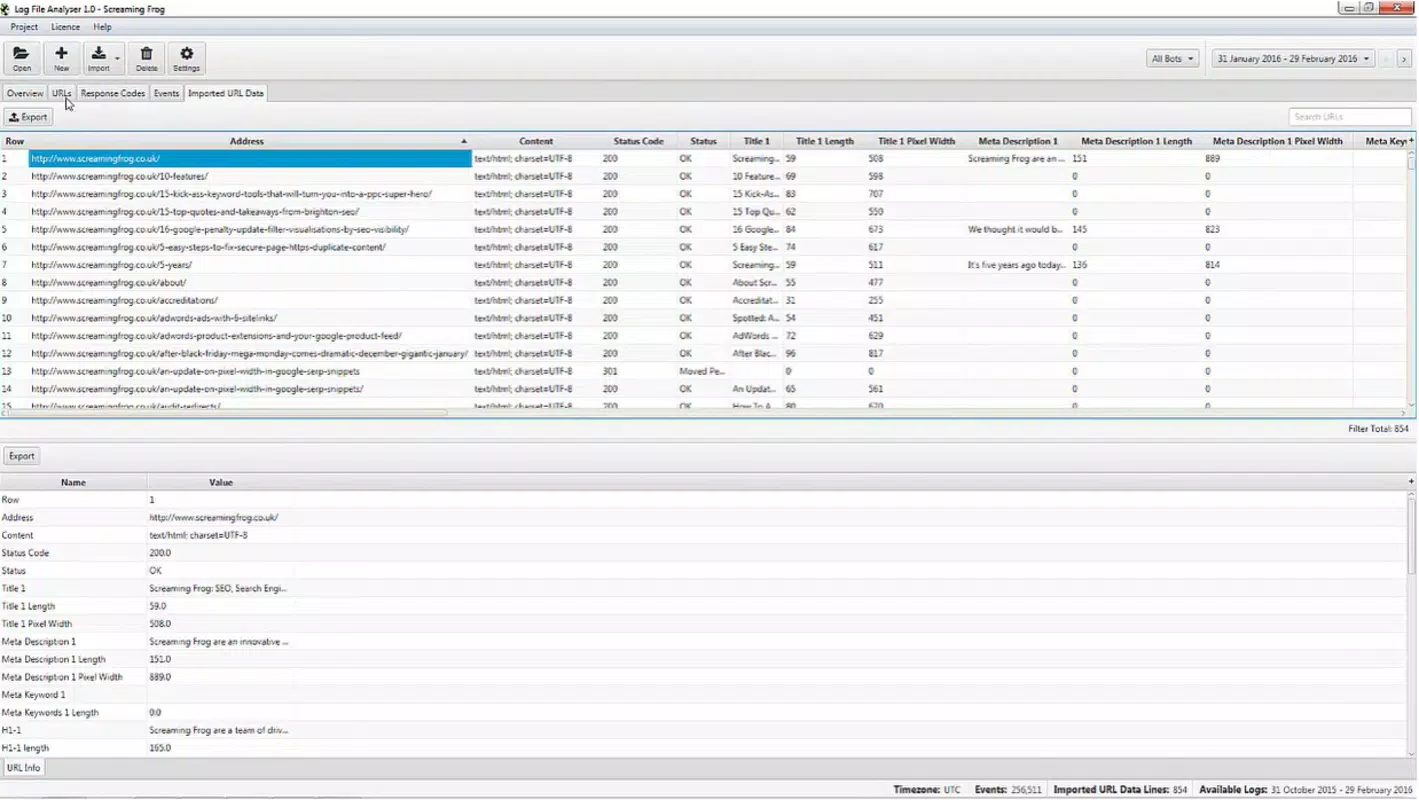
- Structured Data Parsing: The app interprets common log formats such as Apache and Nginx, extracting key metrics like HTTP status codes, request URLs, and timestamps.
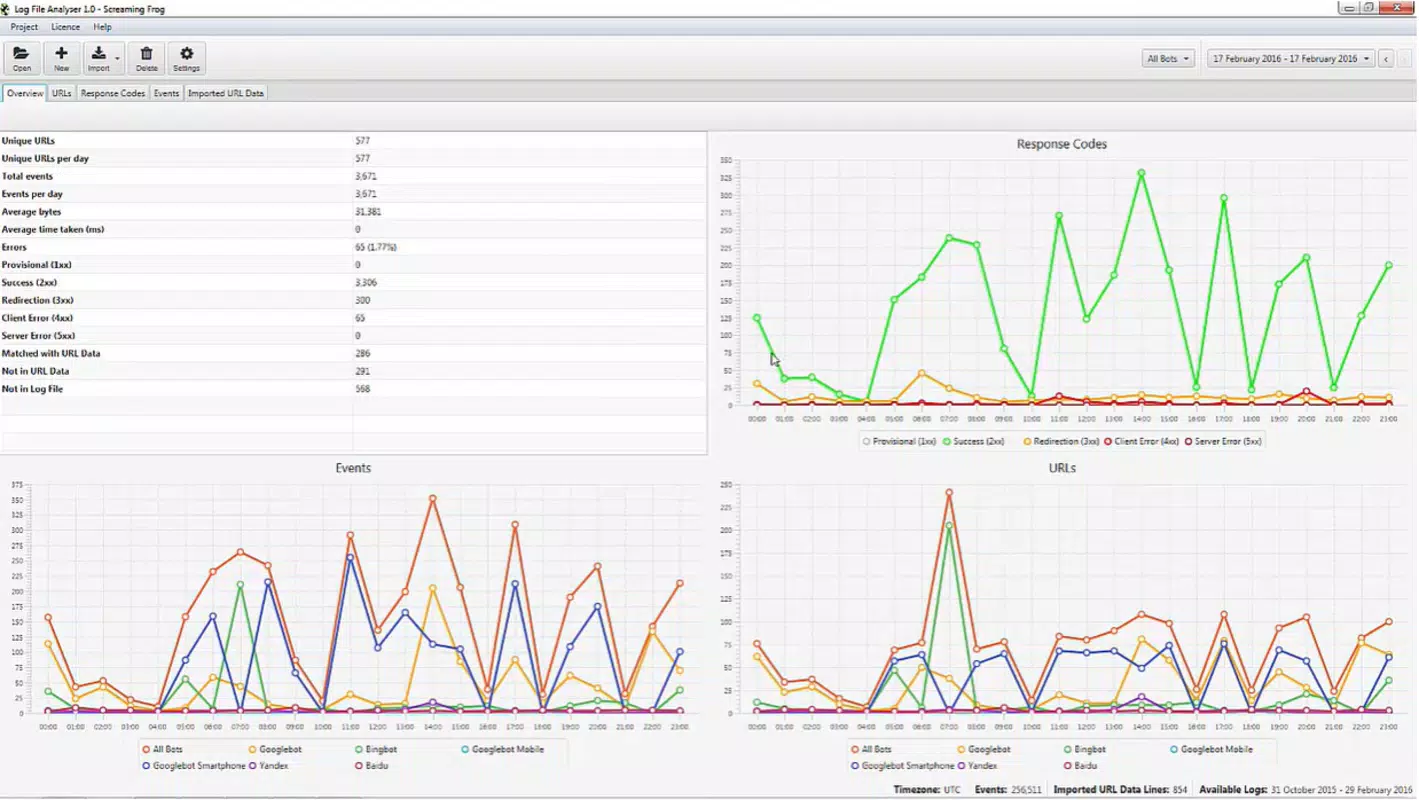
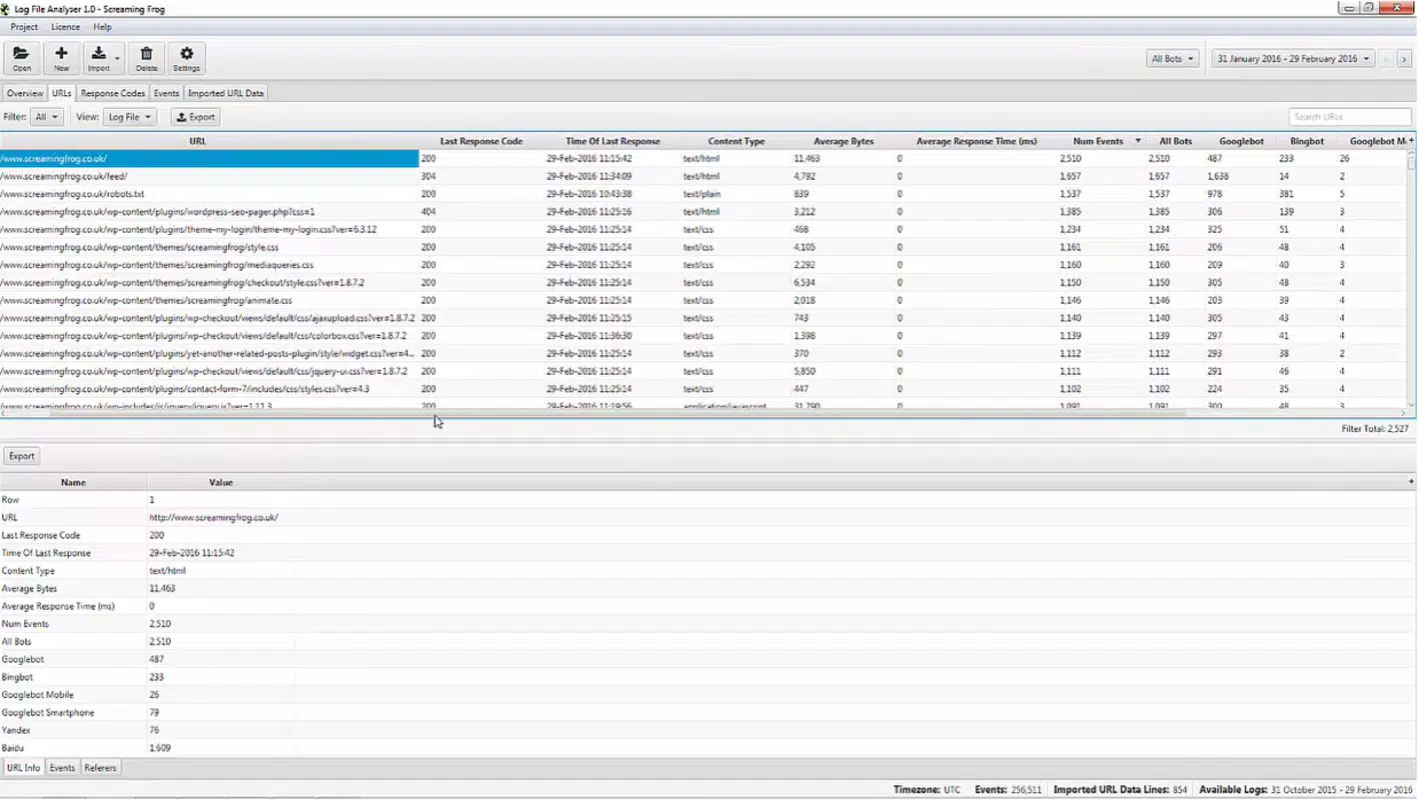
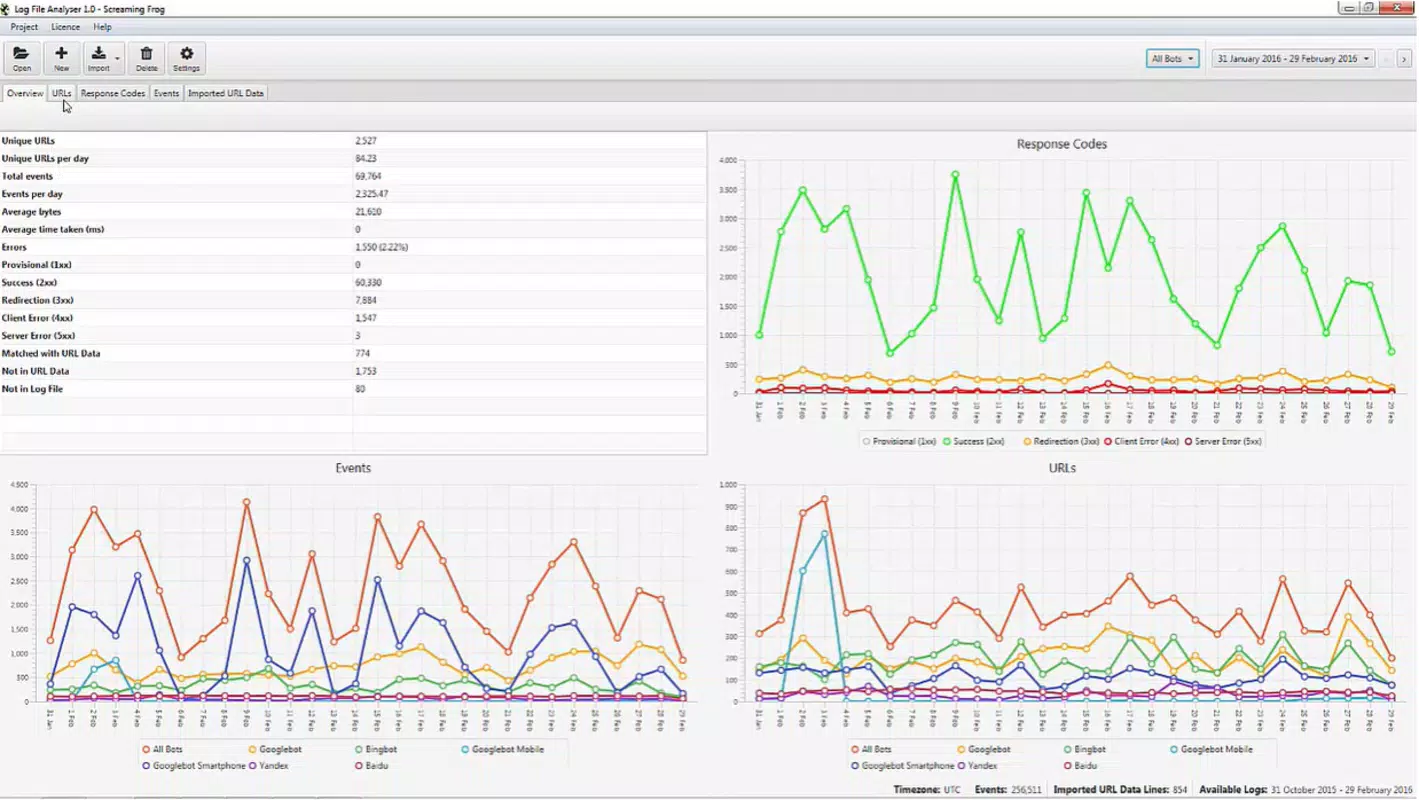
- Performance Metrics Dashboard: Visual summaries display crawl frequency, error rates, and top requested pages, helping users quickly assess site health.
- Filtering & Search Tools: Advanced filtering allows users to isolate 4xx and 5xx errors, specific user agents, or geographic IP ranges for targeted analysis.
- Exportable Reports: Analysis results can be saved or shared in standard formats, supporting collaboration with team members or documentation for clients.
For example, a webmaster reviewing a site after a migration can use the app to detect 404 errors across thousands of log entries in minutes. Similarly, an SEO consultant can verify whether search engine bots are crawling key pages efficiently during a site audit. The ability to analyze logs on a mobile device enhances workflow flexibility, especially in field-based or time-sensitive scenarios.
Interface, UX & Performance
The app features a clean, minimalist interface optimized for mobile usability. Navigation is straightforward, with a central dashboard providing quick access to recent analyses, file uploads, and report exports. The visual layout emphasizes readability, using color-coded indicators for error levels and concise data cards to display key performance metrics.
Interaction is intuitive, with consistent button placement and clear labeling. Users can tap on any metric to drill down into detailed breakdowns, making the experience efficient even for those with limited technical expertise. The app maintains smooth responsiveness across different screen sizes, though specific performance benchmarks were not disclosed.
Although the developer did not list formal performance metrics, the app’s lightweight design—only 15.5 MB in size—suggests efficient resource usage. It operates without noticeable lag during file parsing and rendering, even on mid-tier Android devices. Stability appears consistent, with no reported crashes or data corruption issues in the initial release.
Platform Compatibility & Technical Requirements
SEO Log File Analyser is available exclusively on the Android platform. The current version is 1.0.1, with a file size of 15.5 MB, making it suitable for devices with moderate storage capacity. The app is free to download and install, offering full access to all core features without in-app purchases or subscription fees.
While the developer did not specify minimum OS requirements, the app is compatible with most modern Android devices running recent versions of the operating system. The absence of a listed version requirement suggests broad compatibility, though users are advised to ensure their device meets standard Android functionality standards for file handling and background processing.
Pros and Cons
Pros
- Free to download and use with no hidden costs or ads.
- Lightweight size (15.5 MB) ensures fast installation and minimal storage impact.
- Mobile access to log file analysis supports on-the-go SEO workflows.
- Supports standard server log formats like Apache and Nginx.
- Provides actionable insights such as error detection and crawl pattern analysis.
Cons
- Only available on Android; no iOS or cross-platform support confirmed.
- Specific system requirements were not listed by the developer.
- Advanced analytics features may require familiarity with log file structure and SEO terminology.
- No cloud sync or multi-device access available in the current version.
- Export functionality may be limited to basic file formats without customization options.
FAQ
Is SEO Log File Analyser safe to install?
The app is free and available through official Android channels. It does not request excessive permissions, and the developer has not indicated any security risks. Users should always download from trusted sources to ensure integrity.
Can I use this app on iOS devices?
As of now, the app is only available for Android. There is no confirmed release or timeline for an iOS version.
What types of log files does the app support?
SEO Log File Analyser supports common server log formats, including Apache and Nginx. It is designed to parse standard log entries with timestamps, HTTP status codes, and request URLs.
Do I need an internet connection to analyze logs?
No, the app functions offline. Log files are processed locally on the device, allowing analysis without requiring internet access.
How often should I update the app?
It is recommended to install updates when available to ensure compatibility with new log formats and to benefit from potential performance improvements and bug fixes.
Final Thoughts
SEO Log File Analyser fills a niche in the mobile productivity space by bringing technical SEO capabilities directly to smartphones. Its ability to parse server logs, identify errors, and deliver actionable insights makes it a valuable companion for SEO professionals and webmasters who need quick access to site health data. While it lacks advanced features like cloud integration or multi-platform support, its core functionality is solid and well-executed for a first release.
For users focused on website optimization, performance monitoring, and technical audits, this app offers a practical, secure, and free solution. The mobile-first approach enhances workflow agility, especially in fast-paced or remote environments. With its intuitive interface and efficient performance, it stands out as a reliable tool in the growing category of mobile SEO utilities.
Download SEO Log File Analyser now to streamline your website analytics and take control of your SEO audits from anywhere.


